
Roblox
How to appear offline on Roblox?
Get the secrets to appearing offline on Roblox and hiding your status—discover the steps you never knew you needed to stay invisible.


Curious about how to join a private group in Roblox? You’re definitely not alone. Players of all ages enjoy private groups because they offer more control, exclusivity, and meaningful interaction than public ones. Whether you want to connect with like-minded teammates, collaborate on game development, or participate in role-playing communities, private groups help you explore a deeper side of Roblox.
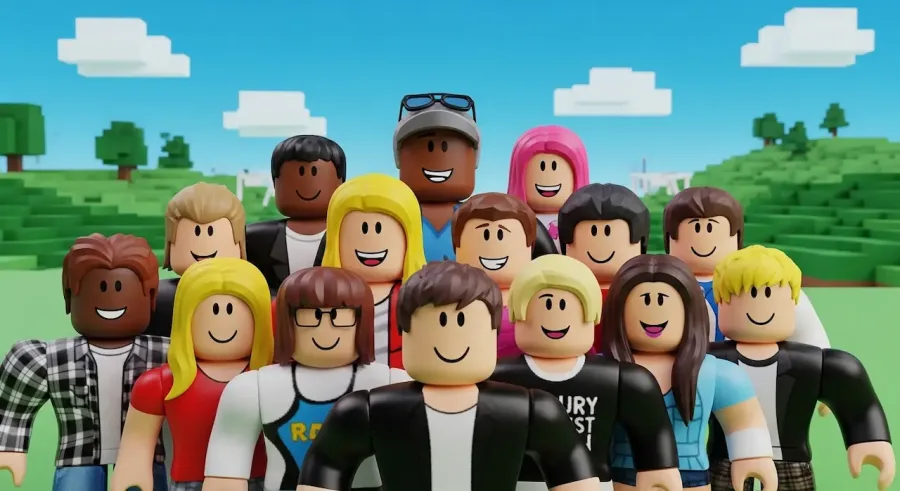
Joining one isn’t difficult, but it does require a few more steps than clicking a simple “Join” button. Many private groups use applications, invitations, or specific requirements to ensure their members are genuinely interested. Once you understand the process, you’ll find it easy—and even exciting—to join the perfect group.
Roblox private groups are designed to bring together players who share similar passions. These groups create environments where members can collaborate, exchange ideas, level up their skills, and build friendships that last beyond the screen. Whether you’re new to the platform or already an experienced player, joining a private group can significantly enhance your gaming journey.
Private groups on Roblox differ from public groups in one key way: they’re exclusive. While public groups allow anyone to join instantly, private groups require admin approval or a direct invitation. This ensures the community stays focused, organized, and committed to its purpose.
These groups are perfect for:
Private groups often provide unique perks, such as access to special events, private game servers, restricted items, or exclusive communication channels. Because of the added privacy and structure, players often feel safer and more engaged.
If you’re looking for a close-knit community that values creativity, teamwork, and communication, private groups on Roblox are the ideal place to grow.
Before you can join a private group, you need to find one that fits your interests. Roblox offers thousands of groups, so it’s important to choose one that matches your personality, goals, and play style.
Here’s how to find them:
Type keywords related to your favorite game genres or activities. Examples:
This helps you discover groups with themes you’re already passionate about.
Sometimes the easiest way to find a good group is through your friends. Visit your friends’ profiles and check the groups they belong to—you might find communities that interest you or already include people you know.
Platforms like:
often promote private groups, especially those focused on competitive games or development.
The group’s description will tell you:
Choosing the right group makes your experience much more enjoyable.
Before joining, take time to review a group’s rules and expectations. Private groups often set requirements to ensure they attract committed members.
Common requirements may include:
Some groups are strict, while others welcome newcomers. If you’re new to Roblox, look for groups that mention:
Carefully checking the requirements also helps you avoid groups that may not match your play style or expectations.
Once you’ve found a group that interests you and meets your criteria, it’s time to send your join request.
Here’s how:
Group admins appreciate players who show genuine interest. A thoughtful answer can greatly increase your chances of approval.
After sending your request, you’ll need to wait for an admin or moderator to review it. Approval times depend on how active the group leaders are. Some groups respond within hours, while others may take days.
While waiting:
Once your request is accepted, you’ll receive a notification. From that moment, you’ll have access to the group’s private posts, ranks, events, and exclusive features.
Sometimes, you don’t have to apply at all—admins may send you a direct invitation. This can happen if you:
Group invitations appear in your Roblox notifications. Simply click “Accept” and you’ll become a member instantly.
This is the fastest way to join a private group and often leads to being part of a very active and dedicated community.
If you’re unable to join a private group, here are some solutions:
Make sure you’re using the correct Roblox account.
Ensure you allow:
Cache problems can prevent buttons or pages from loading properly.
Sometimes mobile, PC, or console versions behave differently.
An outdated version of the app may cause glitches.
If the group has an application system, admins can often help resolve issues or give you guidance.
Learning how to join a private group in Roblox opens up a whole new level of fun, creativity, and connection. These groups give you access to exclusive events, private servers, collaborative projects, and communities that share your interests.
To recap the process:
Once you’re accepted, you’ll join a supportive and passionate community that makes your Roblox experience richer and more exciting. No matter your skill level or background, there’s a private Roblox group out there waiting for you.


José Lucas is a researcher and gaming enthusiast with a background in administration, focused on the evolution of digital entertainment and hardware innovation. Driven by curiosity and a commitment to clarity, he explores the latest releases and technical tools to provide practical insights for the gaming community. At ABWaves Game, José shares his passion for the gaming world through detailed reviews, helping players discover new solutions and stay ahead of the latest industry trends.
Get the secrets to appearing offline on Roblox and hiding your status—discover the steps you never knew you needed to stay invisible.
The history of Roblox goes back further than you might think, but just how old is this game-changing platform? Find out what sets it apart.
Thinking about erasing your Roblox presence forever? There’s a crucial step most users miss before their account is truly gone for good.
Thinking about your child's safety on Roblox? Discover the crucial reasons parental controls matter before your next family game session.
Master the art of playing Roblox on your Nintendo Switch with these clever tricks—discover what works and what’s still just out of reach.
Navigate the mystery behind Roblox Error Code 403 and discover which quick fixes might instantly restore your game access—find out what works next.