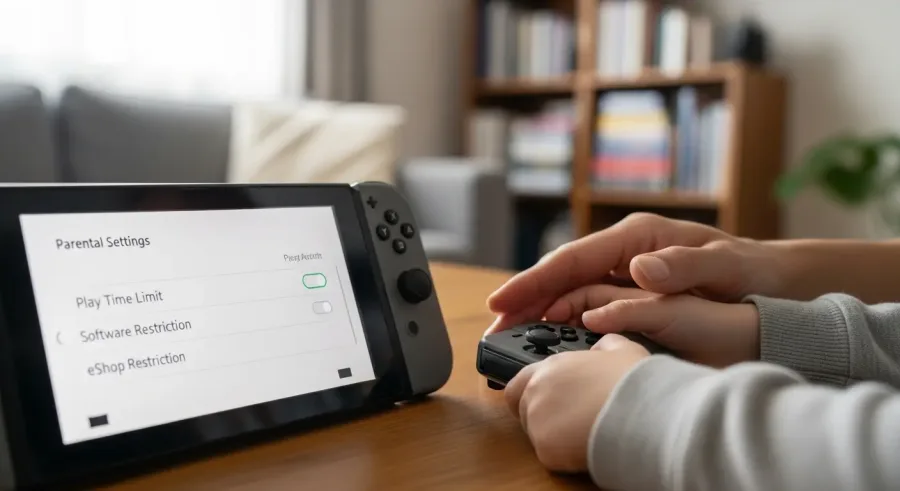
Setting up parental controls on a Nintendo Switch isn’t just about limiting play — it’s about creating balance. With only a few steps, parents can tailor the console to match their child’s age, habits, and family rules. The best part is that Nintendo makes the entire process simple thanks to a free mobile app that gives you full control. Once everything is linked, you can guide how, when, and what your child plays without taking away the fun or interrupting your family’s routines.
Setting up parental controls on Nintendo Switch is a simple way to create a safe and balanced gaming environment for kids. (Image: ABWavesGame)
Whether you want to limit screen time, restrict certain types of content, or monitor activity from your phone, Nintendo Switch parental controls offer a flexible and family-friendly way to manage gaming responsibly. This guide explains each step, from preparation to monitoring, so you can build a safe and healthy gaming environment for your kids.
Preparing your Nintendo Switch for parental controls
Before you dive into the detailed settings, preparing your Nintendo Switch for parental controls makes the process smoother and ensures everything works properly.
Start by checking for system updates. A fully updated Nintendo Switch ensures compatibility with the Parental Controls app and gives you access to the newest features. To do this, go to System Settings > System > System Update and install any available updates.
Next, take a moment to organize user profiles on the console. Each family member should have their own profile so that your parental control settings apply to the right person. This is especially important if you have children of different ages with different gaming permissions.
Once profiles are organized, explore the parental control options available directly on the console. These include:
Restrictions on games based on age
Limits on how long the console can be used
Play-time alarms
Blocked features such as posting screenshots or using VR modes
Options related to online communication
By familiarizing yourself with these tools, you can tailor the experience to meet your family’s needs rather than using generic, one-size-fits-all restrictions.
Preparing your Nintendo Switch beforehand also helps you avoid mistakes like applying the wrong settings to the wrong user or overlooking important features. Taking just a few minutes here makes setting up parental controls faster, more accurate, and more effective.
Downloading and setting up the Parental Controls app
Nintendo created an easy, intuitive mobile app called Nintendo Switch Parental Controls, available for free on both iOS and Android. It allows you to manage your child’s gaming activity from your phone without needing constant access to the console itself.
Download the app from the Apple App Store or Google Play Store, then open it and sign in using your Nintendo Account. If you don’t have one, the app will walk you through creating it in minutes.
Once you’re logged in, the app will provide a unique registration code that you enter on the Nintendo Switch under:
System Settings > Parental Controls > Set Parental Controls
After you insert the code and confirm, your phone and console become linked. From this point on, you can:
View play-time reports
Restrict content instantly
Set play schedules
Receive notifications when limits are exceeded
Change permissions as your child grows
Linking the app gives you more flexibility compared to setting everything manually on the Switch. It also lets you adjust settings remotely, perfect for families who share one console or parents who simply prefer managing things from their phone.
Configuring screen time and play-time limits
Limiting screen time is one of the most common reasons parents use Nintendo Switch parental controls. With the app, setting play-time limits is simple and customizable.
You can set:
Daily play-time limits (e.g., 1 hour per day)
Different limits for different days
Bedtime settings that prevent play after certain hours
Alarms that notify the child when time is almost up
The Switch can either warn the player when time is up or automatically suspend the game. Suspension ensures the rule is enforced, but many parents prefer the warning system to avoid interrupting important save moments.
These settings help kids develop healthier gaming habits, ensuring they have fun without letting games take over homework, sleep, or family time.
Restricting content based on age ratings
Screen time isn’t the only concern — keeping kids away from inappropriate content matters just as much.
The Nintendo Switch allows parents to restrict games and apps based on established rating systems like ESRB or PEGI. When you set age restrictions, the console automatically blocks access to games that exceed the chosen rating.
You can also customize restrictions beyond basic ratings, including:
Blocking violent or mature games
Restricting VR mode
Preventing social media posting
Disabling communication features in certain games
These tools make it easy to control what your child can play without needing to supervise every download or preview every title manually. The console handles the filtering for you.
Monitoring and managing your child’s gaming activity
One of the strongest features of Nintendo Switch parental controls is activity tracking. From your phone, you can see exactly how much time your child spends on each game. You can also track which titles they play most frequently and how often they exceed time limits.
Activity reports give you insights that help start conversations about responsible gaming habits: — Are they playing too late at night? — Are they focusing on one game too much? — Is a new game taking over homework time?
In addition to time tracking, you can manage online interactions. Nintendo gives you options to:
Block online play
Restrict friend requests
Limit in-game chat
Prevent communication with strangers
These settings reduce exposure to inappropriate contact and give parents peace of mind when kids play online titles.
Conclusion
Setting up parental controls on a Nintendo Switch is one of the most effective ways to build a balanced and safe gaming environment for kids. Start by preparing the console, then connect it to the Nintendo Switch Parental Controls app to unlock the full suite of features. With these tools, you can restrict content based on age ratings, manage screen time, monitor activity, block purchases, and control online communication.
Parental controls give you flexibility, allowing you to adjust limits as your child grows and their gaming habits evolve. By using these tools consistently, you can protect young players from inappropriate content while encouraging healthy gaming routines that fit your family’s needs.