

Roblox
How to appear offline on Roblox?
Get the secrets to appearing offline on Roblox and hiding your status—discover the steps you never knew you needed to stay invisible.


If your child loves exploring the creative worlds of Roblox, you’ve probably asked yourself an important question: is Roblox safe for kids? You’re not alone—this is one of the most common concerns among parents today. Roblox has quickly become one of the world’s most popular gaming platforms, offering millions of user-created experiences where children can build, play, socialize, and express their creativity.
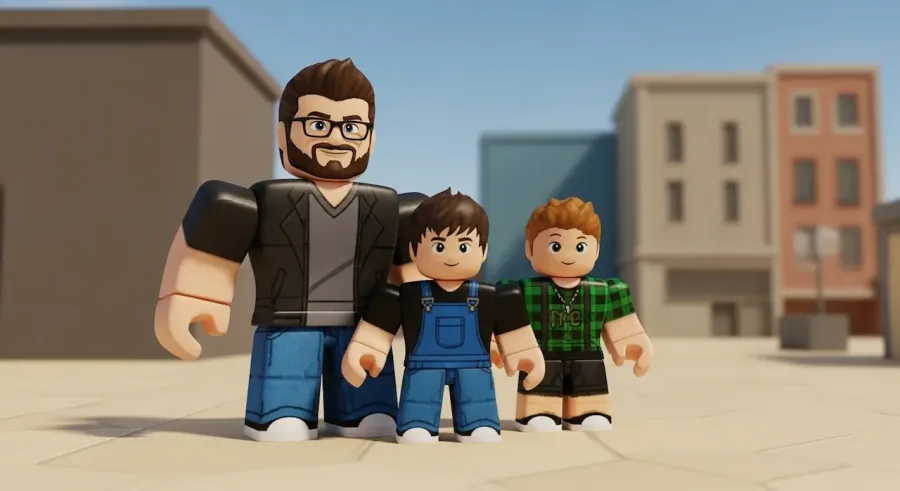
But with that freedom comes responsibility. Like any platform that encourages interaction among players from different ages and backgrounds, Roblox requires awareness, boundaries, and active parental involvement. When used correctly, it can be a fun, educational, and inspiring space. When used without supervision, however, it can expose children to inappropriate content, unsafe interactions, and unwanted influences.
In this guide, you’ll understand the real risks, the built-in safety features, and the practical steps parents can take to create a safe environment. By the end, you’ll know exactly what to do to protect your child while still letting them enjoy everything Roblox has to offer.
Before parents can decide whether Roblox is safe for kids, it’s essential to understand the potential risks. Since Roblox runs almost entirely on user-generated content, every game, environment, and interaction is created by someone—often by other players. While much of that content is harmless and creative, it also means Roblox can include worlds and conversations that aren’t always appropriate for young children.
Here are the most common risks:
Some user-created games may contain violent themes, scary scenes, or mature references. Roblox does remove and moderate inappropriate experiences, but the volume is so large that some may slip through temporarily.
Like any online platform with open chat features, Roblox can attract individuals trying to contact children. While Roblox has filters and monitoring systems, no automated system is perfect. Children must know not to trust or share information with strangers.
Roblox games often involve teamwork, competition, and open chat. This makes space for bullying, toxic behavior, or exclusion—even among kids of the same age.
Some players may attempt to trick children into giving away passwords, personal data, or even Robux by pretending to offer free items or exclusive benefits.
Roblox has millions of games, constant updates, and social engagement, which can make screen-time limits challenging without clear boundaries.
These concerns don’t mean that Roblox is inherently unsafe. Instead, they highlight the importance of parental involvement and communication. When guided properly, children can enjoy Roblox in a healthy, positive, and secure way.
One of the strongest tools available to parents is Roblox’s built-in parental control system. These settings allow families to customize how their child interacts with the platform, ensuring they engage in age-appropriate content and communicate only with trusted individuals.
Here’s how parental controls can help:
Parents can restrict access to games designed for older audiences, ensuring kids only see experiences appropriate for their age group.
You can limit who can chat, message, or join your child’s games. For younger children, turning off chat entirely is often the safest choice.
Roblox allows parents to set a four-digit PIN that prevents children from altering their own safety settings.
Parents can access logs related to messages, purchases, and game activity. This allows visibility into how your child is interacting on the platform.
With these tools, Roblox becomes significantly safer, offering a balance between freedom and protection.
The social component of Roblox is a big part of its appeal, but it’s also where many risks enter. Whether Roblox is safe for kids often depends on how their communication settings are managed.
Here are the best practices:
This prevents random strangers from messaging or joining your child’s games.
If your child is under 10, turning off chat entirely is one of the safest approaches.
Kids often accept friend requests without understanding consequences. Parents should review and clean the list often.
Your child should feel comfortable coming to you if they experience something strange or uncomfortable online.
These steps don’t just protect children—they also help them build healthy habits for digital interactions.
Roblox uses its own virtual currency, Robux, which kids can spend on clothing, accessories, pets, gamepasses, and special abilities. While these features can be fun, uncontrolled spending can lead to surprises on your credit card.
To prevent this:
With these strategies, your child can enjoy customization without any financial risk.
Parental controls help, but nothing replaces education and communication. Children need to understand the rules of staying safe online and why those rules exist.
Key lessons include:
These lessons not only protect them on Roblox but also across all digital platforms they’ll use as they grow.
So, is Roblox safe for kids? Yes—when parents stay involved and when safety tools are activated. Roblox offers incredible creative opportunities, social connection, and endless entertainment. But like any online community, it works best when families approach it with awareness and clear boundaries.
By using parental controls, managing communication, monitoring purchases, and maintaining open conversations, you can turn Roblox into a safe and positive part of your child’s digital life.
With the right balance of protection and freedom, Roblox becomes more than a game—it becomes a place where kids can learn, create, explore, and grow in a global community designed to inspire imagination.


Get the secrets to appearing offline on Roblox and hiding your status—discover the steps you never knew you needed to stay invisible.
The history of Roblox goes back further than you might think, but just how old is this game-changing platform? Find out what sets it apart.
Thinking about erasing your Roblox presence forever? There’s a crucial step most users miss before their account is truly gone for good.

Navigating the secrets of joining a private group in Roblox isn't as easy as it seems—discover the steps you can't afford to miss.

Master the art of playing Roblox on your Nintendo Switch with these clever tricks—discover what works and what’s still just out of reach.
Navigate the mystery behind Roblox Error Code 403 and discover which quick fixes might instantly restore your game access—find out what works next.